
Imagine finishing your work in half the time.
Less clicking.
Less waiting.
Less frustration.
Most people use only 30% of their computer’s power. They move the mouse for everything, open too many tabs, and waste hours on small tasks.
But smart users?
They use computer life hacks, PC tips and tricks, and Windows keyboard shortcuts to move faster than everyone else.
The result: more productivity, less stress.
In this simple guide, you’ll learn easy laptop productivity hacks, smart computer tricks, and hidden computer features that save minutes every hour (which turns into hours every week).
No tech knowledge needed.
Let’s upgrade your workflow.
Use Windows Keyboard Shortcuts to Work Lightning Fast
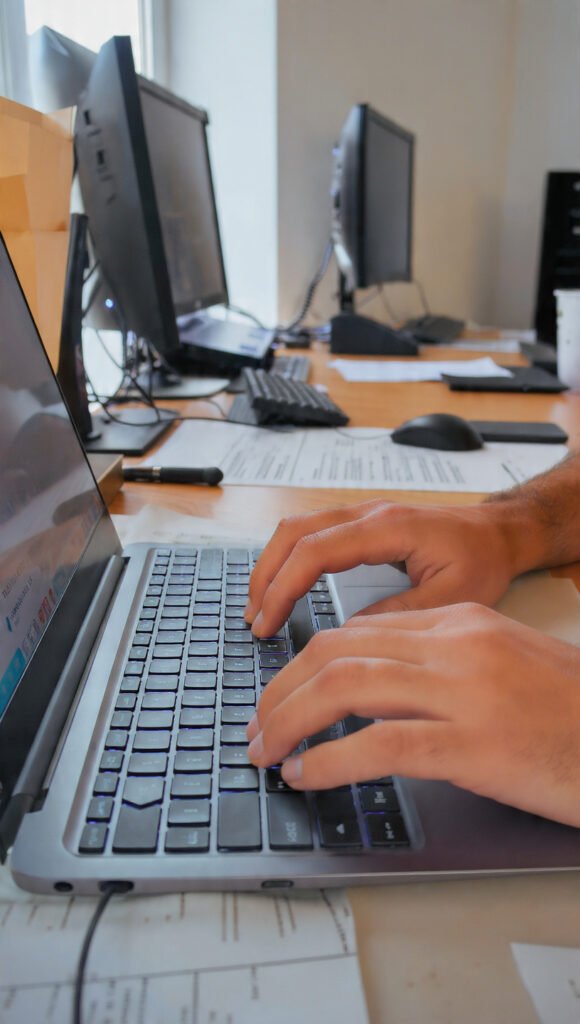
Keyboard shortcuts are the biggest time-saver on any computer.
Every time you move your hand from keyboard to mouse, you lose seconds. Do that 500 times a day… and you waste hours.
Shortcuts fix this.
Start with these essentials:
- Ctrl + C / Ctrl + V → Copy & Paste
- Ctrl + Z → Undo mistake
- Ctrl + S → Save instantly
- Alt + Tab → Switch between apps
- Windows + D → Show desktop
- Ctrl + Shift + T → Reopen closed browser tab
- Windows + L → Lock your PC
Use them daily and your speed doubles automatically.
Pro tip: learn 3 shortcuts each week. Small steps = big results.
Organize Your Desktop Like a Pro (Less Mess, More Focus)
A messy desktop slows your brain.
Too many icons = too many distractions.
When you can’t find files fast, you waste time searching.
Here’s a better system:
Create 3–4 main folders only:
- Work
- Personal
- Downloads
- Projects
Move everything inside these folders. Keep your desktop clean.
You can also:
- Pin important apps to taskbar
- Use file search instead of scrolling
- Rename files clearly (Report-Jan-2026.docx)
Clean space = clear mind = better productivity.
This is one of the simplest but most powerful tech life hacks.
Laptop Productivity Hacks That Save Hours Every Week
Small improvements create big time savings.
These laptop productivity hacks make daily tasks easier:
Use Multiple Desktops
Press Windows + Tab → New Desktop
You can separate:
- Work apps
- Study apps
- Entertainment
No more tab overload.
Snap Windows Side-by-Side
Press Windows + Arrow Keys
Instant split screen. Perfect for research + writing.
Use Clipboard History
Press Windows + V
See everything you copied earlier. No need to copy again.
Auto-Start Important Apps
Set apps like email or notes to open automatically when your PC starts.
Less setup time = faster mornings.
Smart Computer Tricks Most People Don’t Know
Here are some hidden gems that feel like “secret features.”
God Mode (All settings in one place)
Create a new folder and rename it:
GodMode.{ED7BA470-8E54-465E-825C-99712043E01C}
Now you get every control panel setting in one folder.
Shake to Minimize
Click a window → shake it → all other windows minimize instantly.
Great for focus.
Quick Screenshot
- Windows + Shift + S → Select area
- Windows + PrtSc → Save full screen automatically
No need for extra software.
Emoji Keyboard
Windows + .
Instant emojis anywhere 😊
These little smart computer tricks make everyday work smoother.
Speed Up Your PC with Simple Maintenance Hacks
Slow computers kill productivity.
But you don’t need expensive upgrades.
Try these PC tips and tricks first:
Delete Startup Apps
Task Manager → Startup → Disable unnecessary apps
Your PC starts faster.
Clean Temporary Files
Type “Disk Cleanup” → remove junk files
Free space = better speed.
Uninstall Unused Software
Old apps run in background and slow everything down.
Restart Weekly
Simple but effective. Clears memory and refreshes performance.
Use Lightweight Browser Extensions Only
Too many extensions = slow browser.
Less is more.
These maintenance hacks keep your computer feeling new.
Hidden Computer Features That Make Life Easier
Your computer already has tools you’re not using.
Here are powerful hidden computer features:
Voice Typing
Windows + H
Speak instead of typing. Great for notes or long writing.
Focus Assist
Blocks notifications while you work.
No distractions.
Night Light Mode
Reduces blue light for eye comfort at night.
Better sleep and less eye strain.
Sticky Notes App
Quick reminders without paper.
File Preview Pane
Press Alt + P to preview files without opening them.
Saves tons of time.
These small features make your daily workflow smoother and smarter.
Conclusion
Here’s the truth:
You don’t need a faster computer.
You need smarter habits.
Using computer life hacks, Windows keyboard shortcuts, and productivity tricks can save 1–2 hours every single day.
That’s 30–60 hours per month.
Imagine what you could do with that extra time.
Learn shortcuts.
Stay organized.
Use hidden features.
Keep your PC clean.
Simple actions → huge productivity gains.
Start with just 3 hacks today.
By next week, you’ll wonder how you ever worked without them.
FAQs About Computer Life Hacks
1. What are computer life hacks?
They are simple tips and tricks that help you work faster and smarter on your PC or laptop.
2. Do keyboard shortcuts really save time?
Yes. They reduce mouse use and can cut task time by 30–50%.
3. Which shortcut is most useful daily?
Alt + Tab for switching apps and Ctrl + S for saving work.
4. How do I make my laptop faster without upgrading hardware?
Disable startup apps, clean files, uninstall unused software, and restart regularly.
5. What is Windows clipboard history?
Windows + V lets you access previously copied items.
6. Are multiple desktops useful?
Yes. They separate workspaces and reduce clutter.
7. How can I take quick screenshots?
Use Windows + Shift + S for selected screenshots.
8. Does cleaning the desktop improve speed?
Yes. It reduces distractions and helps you find files faster.
9. What is Focus Assist?
A feature that blocks notifications while working.
10. Are these tricks safe for beginners?
Absolutely. They are built-in features and safe for everyone to use.